
How to Download Instagram Photos, Videos & Stories (Free, 2026)
Download Instagram post photos, videos, full carousels, Reels and current Stories in original quality — with a free Chrome extension, no link pasting, no watermarks.
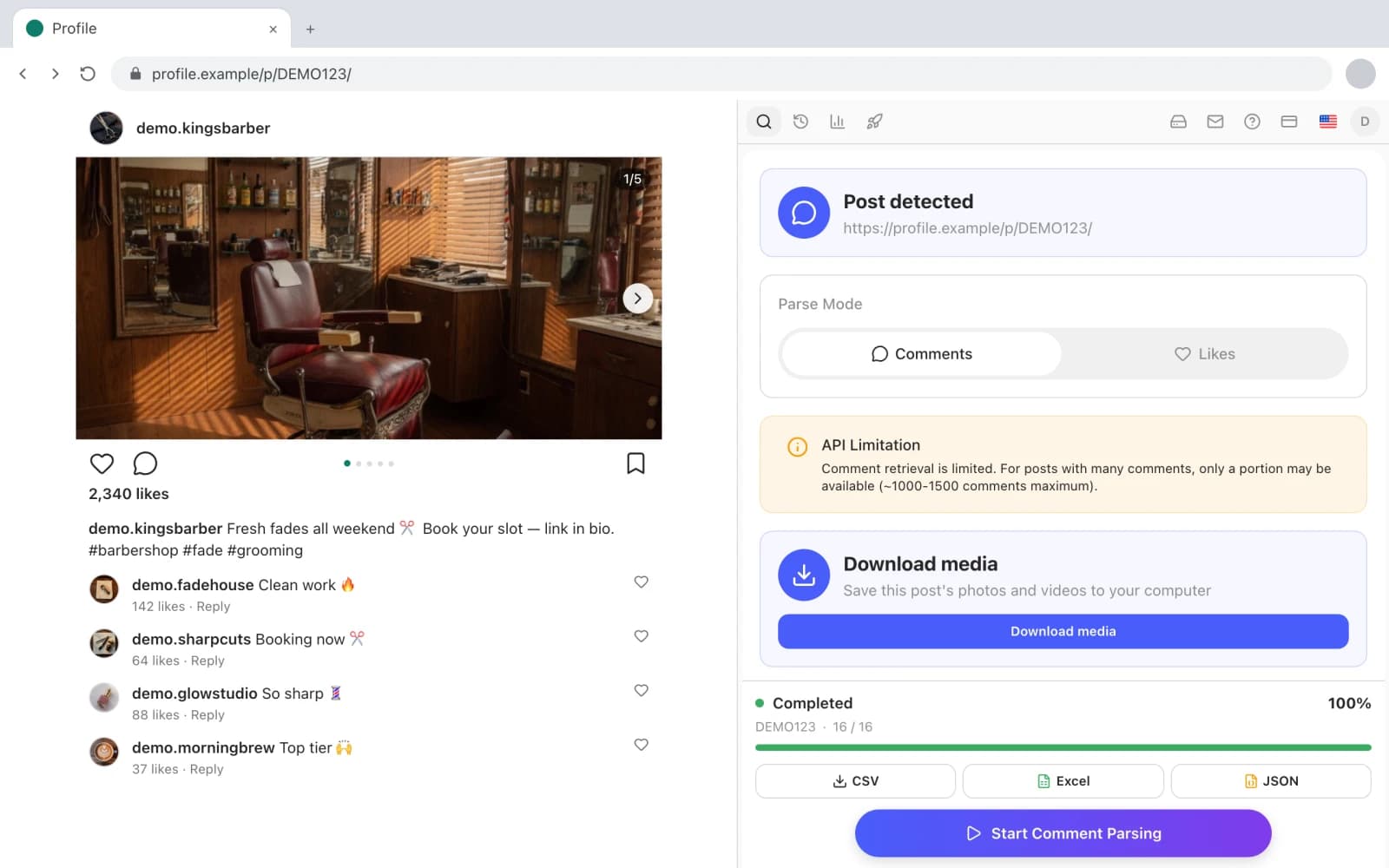
Instagram gives you exactly one way to keep a post: the bookmark. It lives inside the app, it disappears if the author deletes the post, and it hands you nothing you can actually use — no file, no folder, no backup. The moment you need the actual photo or video — a brand saving UGC it has permission to repost, a designer building a mood board, a creator archiving their own feed — you're off to a "paste the link here" downloader site with three popups and a watermark.
There's a quieter way to do it. Since version 1.6, Gramlens — the same Chrome extension that exports followers and comments to CSV — downloads media directly from the Instagram page you already have open: post photos and videos in original quality, entire carousels as separate numbered files, Reels, and all of someone's current Stories in one click. It's free on every plan, including Free.
This guide covers the whole workflow, the file naming, and — because honesty beats a refund request — exactly what it can't do.
What you can (and can't) download from Instagram
What the Download media card covers:
- Post photos — the original full-resolution file Instagram serves, not a screenshot or a re-compressed copy.
- Post videos — saved as MP4.
- Full carousels — every slide as its own numbered file, including carousels that mix photos and videos.
- Reels — the video file, from the Reel's own page.
- Current Stories — all of a profile's active Stories, photos and videos alike, in one click.
What it deliberately does not cover:
- Highlights. They aren't downloadable — the card covers posts, Reels and current Stories only.
- Expired Stories. A story lives for 24 hours; once it's gone from Instagram, it's gone. No tool can recover it, and any tool that claims otherwise is selling something else.
- The
/reels/feed. The card works on a Reel's own page (a/reel/...link), not while you're scrolling the endless Reels feed. Tap through to the Reel first — one click — and it appears. - Anything your account can't see. Downloads run through your own logged-in session, so private accounts you don't follow stay private. There is no bypass, which is precisely why this approach is safe.
What you'll need
- Google Chrome.
- Your Instagram account, logged in as usual. You never paste your password into the extension — it works inside the session your browser already has.
- The Gramlens Chrome extension — media download is free on every plan, with no download counter. No credit card, no trial clock.
That's the full list. No downloader website, no app install, no Telegram bot.
Download photos and videos from a post
Open the post itself — click through so the URL reads instagram.com/p/... — and open the Gramlens side panel. Smart Detect recognises what's on screen and adds a Download media card for the post automatically. No link to copy, no form to paste it into.
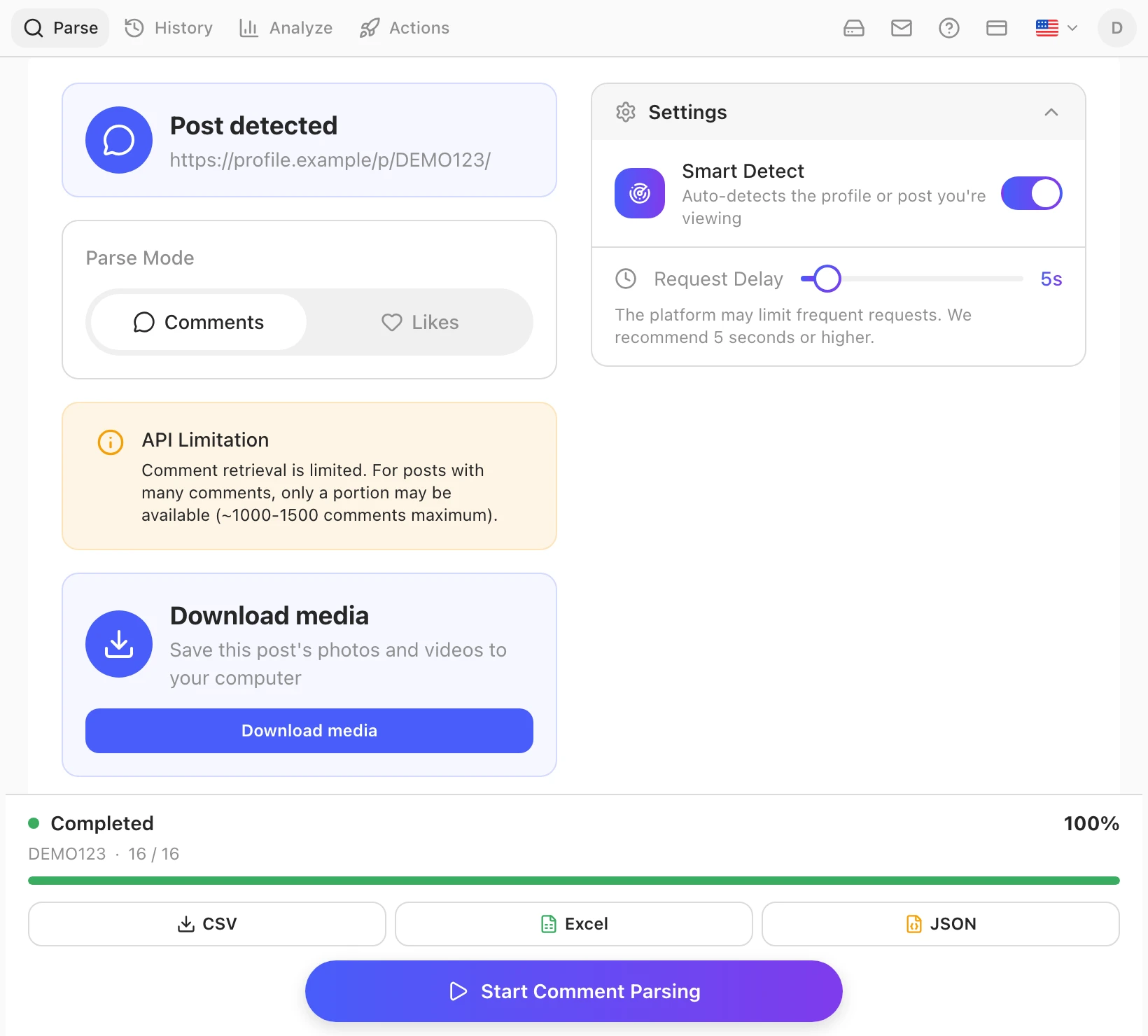
Click download and the file lands in your browser's Downloads folder, named after its source: username_shortcode_01.jpg for a photo, .mp4 for a video. The shortcode is the post's own ID — the same string you see in its URL — so every file traces back to the exact post it came from, even months later.
Two details worth knowing:
- It's the original file. The extension saves what Instagram delivers to your browser — full resolution, no watermark, no re-encoding. What the author uploaded (as served by Instagram) is what you get.
- It's your session doing the fetching. The download happens inside your logged-in tab, the same way the image reached your screen in the first place. Nothing is routed through a third-party server.
Download a full carousel — every slide, even mixed photo+video
Carousels are where downloader sites usually fall apart: you get the first slide, or a ZIP with mystery names, or the video slides silently dropped. Gramlens saves the whole carousel as separate files, numbered in order:
username_shortcode_01.jpg
username_shortcode_02.jpg
username_shortcode_03.mp4
username_shortcode_04.jpg
Mixed carousels — photos and videos in the same post — come through intact, each slide with its natural extension. Nothing is stitched, skipped or renamed, and there's no archive to unpack. A ten-slide carousel is ten files in your Downloads folder, in the order the author arranged them.
Download Reels — and grab their comments and likes too
For a Reel, the rule is the same as for posts, with one URL-shaped caveat: the card appears on the Reel's own page — a link that reads instagram.com/reel/... — not in the endless /reels/ feed you swipe through. If you found the video while scrolling, open it as its own page first; then the Download media card shows up in the panel and saves the video as MP4.
The 1.6 update carries a bonus that matters if you use Reels for research: comment and like export now works on Reels too. Open a /reel/ link and you can pull its commenters and likers exactly the way you would on a regular post — same panel, same CSV/Excel/JSON output. A viral Reel in your niche becomes two assets at once: the video itself for reference, and a list of the people who engaged with it for outreach.
Save someone's current Stories in one click
Stories are the most time-sensitive media on Instagram — whatever you want to keep has less than 24 hours to live. Open a profile's story view, and the Gramlens panel offers to save all of their current Stories at once: every frame, photos and videos alike, one click.
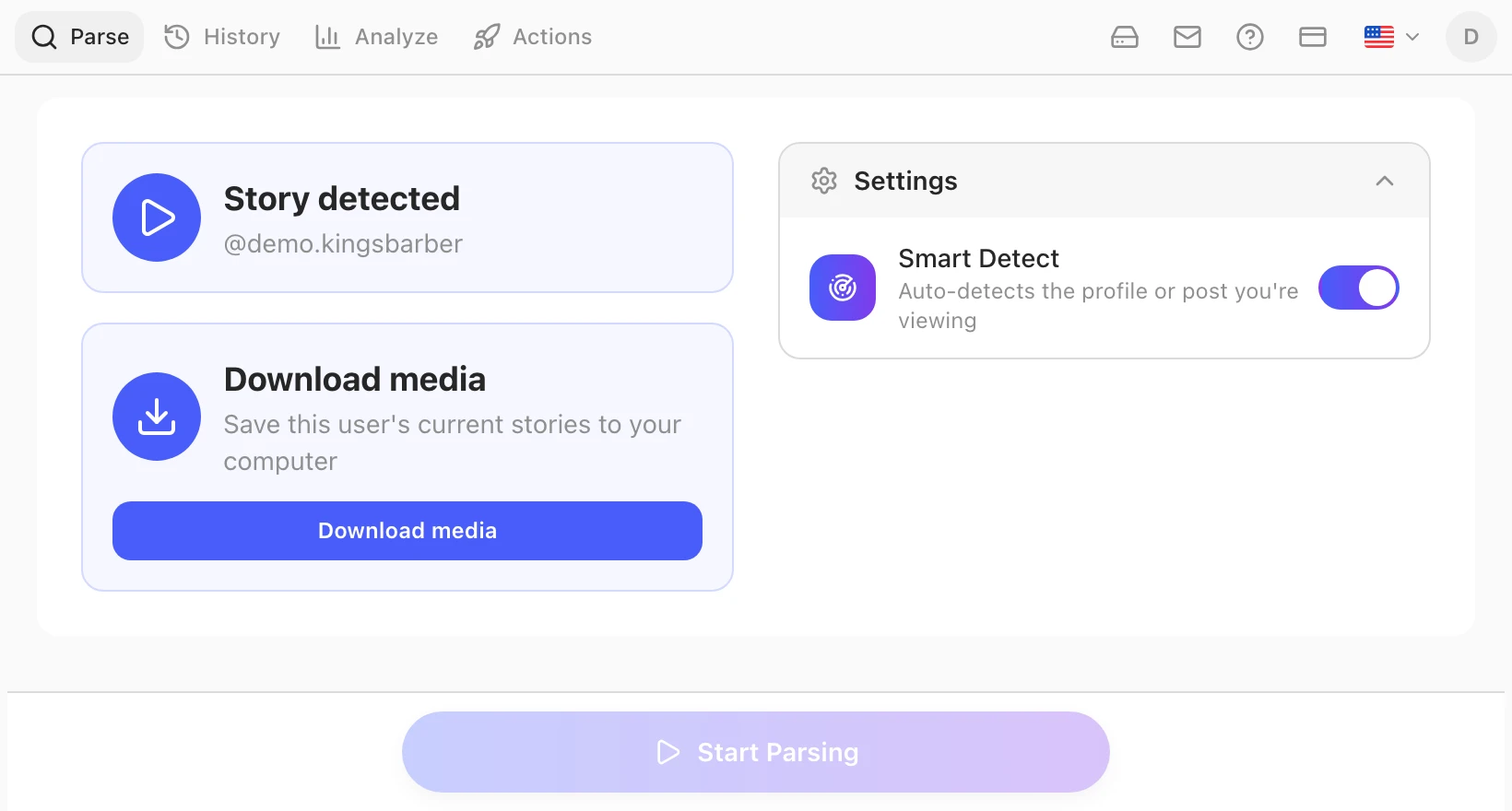
The files are named username_stories_01.jpg, username_stories_02.mp4 and so on, so a story archive sorts cleanly next to your post downloads.
Two honest limits, before you ask:
- Only current Stories. Expired ones are gone from Instagram and cannot be recovered — if the archive matters, save while the story is live.
- Not anonymous. The download runs through your own logged-in session, so opening someone's story registers as a view exactly as it would without the extension. Gramlens adds the one-click save — not invisibility. Tools that promise anonymous story viewing are logging in as someone, usually a pool of borrowed accounts, and that's a different risk conversation entirely.
Where the files go and how they're named
Everything lands in your browser's Downloads folder — no cloud step, no account area to fish files out of, no ZIP. The naming scheme is flat and predictable:
| Source | Filename pattern |
|---|---|
| Single photo post | username_shortcode_01.jpg |
| Single video post | username_shortcode_01.mp4 |
| Carousel | username_shortcode_01.jpg, _02.mp4, … one file per slide |
| Reel | username_shortcode_01.mp4 |
| Stories | username_stories_01.jpg, _02.mp4, … |
Because the username and post shortcode are in every filename, a folder of downloads stays sortable and searchable: all of one creator's media groups together, and any file can be traced back to its source post by pasting the shortcode into an instagram.com/p/ URL.
Why a sidebar extension beats paste-a-link downloader sites
The "Instagram downloader" category is dominated by websites where you paste a post URL and click through ads until a file appears. The extension approach differs in ways that are easy to underrate until you've used both:
- The URL never leaves your browser. Paste-a-link sites receive every URL you feed them — that's a browsing log of what you save, held by a site you know nothing about. Gramlens downloads inside your own tab; there's no third-party server in the path.
- Original files, no watermarks. Downloader sites often re-encode video (smaller, blurrier) or stamp a watermark in a corner. The extension saves the exact file Instagram serves.
- No captchas, no popups, no per-file ritual. The card is just there on every post you open. A carousel is one click, not ten paste-and-solve rounds.
- Carousels and Stories actually work. Multi-slide posts and one-click story batches are exactly where URL-based tools cut corners.
- One tool, not five. The same panel exports followers, comments and likes, tracks unfollowers and compares accounts — the media card is one more thing Smart Detect surfaces, not another tab in your bookmarks. If you're new to the extension, the best-way-to-use guide walks the whole panel.
Limits, copyright and responsible use
The technical limits, collected in one place: the card works on post and Reel pages (/p/ and /reel/ links) and on story views — not on the /reels/ scroll feed; Highlights aren't downloadable; Stories only while they're live; and only content your own logged-in account can already see, at original quality but never beyond it.
The legal limit is simpler and harder: downloading a file does not grant you rights to it. Every photo, video and story belongs to the person who created it. Saving media for personal reference, archiving your own content, or collecting UGC you have permission to reuse is what this feature is for. Reposting someone's work without consent, stripping credit, or using downloaded media commercially without a licence is copyright infringement in most jurisdictions — no tool changes that, and this one doesn't try. When in doubt, ask the creator; most say yes to a credited repost.
FAQ
Is downloading Instagram photos and videos free in Gramlens?
Yes — media download is free on every plan, including Free, with no download counter. Gramlens plans differ on parsing volume and automation, not on this. See the Instagram media downloader feature page for the full rundown.
What quality are the downloads?
The original files Instagram serves to your browser: full-resolution JPG for photos, MP4 for videos. No watermark, no re-compression, no size cap beyond what Instagram itself stores.
Can I download Stories without the person knowing?
No. Downloads run through your own logged-in session, so opening a story registers as a view exactly as it always does. The extension adds one-click saving of all current Stories — it does not make you invisible, and no honest tool can.
Why don't I see the Download media card?
Check the URL. The card appears on a post page (/p/...), a Reel page (/reel/...) or a story view — not on the home feed, the Explore grid or the /reels/ scroll feed. Open the content itself and the card shows up; if it still doesn't, refresh the Instagram tab and reopen the panel.
The short version: install Gramlens, open the post, Reel or story, and click download — original files, clean names, straight to your Downloads folder. The bookmark button can retire.
Keep reading
Explore the feature