
Chrome extension · Your data stays on your computer · No password
Download Instagram Photos, Videos & Stories in original quality
Open a post, a Reel or someone's story and Gramlens adds a Download media card to its side panel: post photos and videos, whole carousels as numbered files, Reels video, and all of a profile's current Stories in one click — saved straight to your Downloads folder.
Free on every plan. No Instagram password, ever.
What you can download
Four kinds of media, all saved in the original quality Instagram serves — no watermarks, no re-compression.
Post photos
Any photo post, saved as the original full-resolution file — not a screenshot of it.
Videos & Reels
Post videos and Reels as MP4 files. Open a /p/ or /reel/ link and the card does the rest.
Full carousels
Every slide as its own numbered file — carousels that mix photos and video included.
Current Stories
All of a profile's active Stories in one click, photos and videos alike.
tour-media-download.webp
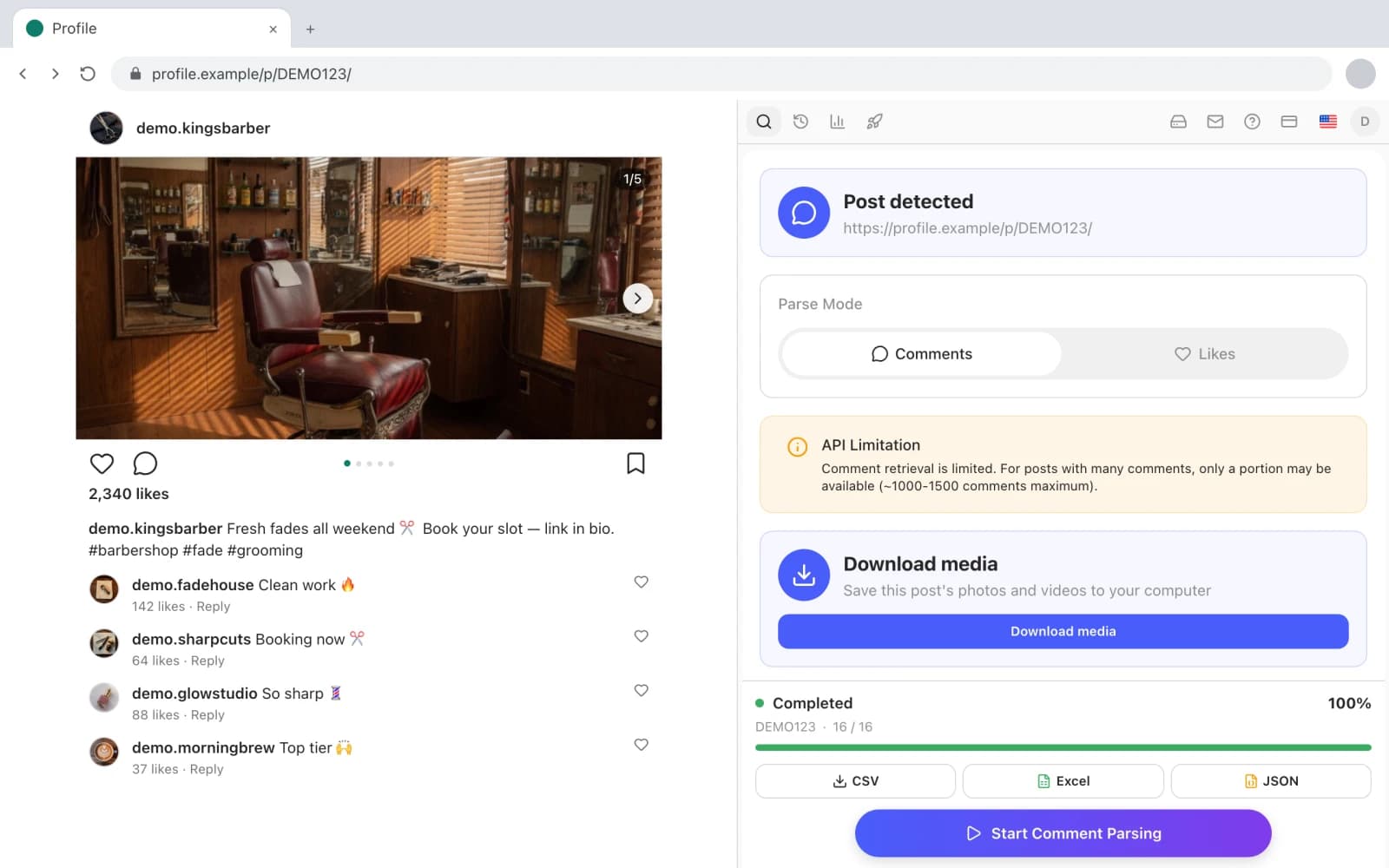
The Gramlens side panel next to an Instagram carousel post: the Download media card Smart Detect added for it, listing the post's slides with a download button.
How it works
No links to copy and no downloader site — the extension works on the page you are already looking at.
Open a post, Reel or story
Log in to Instagram in Chrome as usual and open the content itself — a /p/ or /reel/ link, or a profile's story view.
Smart Detect shows the card
The Gramlens side panel recognises what is on screen and shows a Download media card for it — no URL to paste anywhere.
Click download
Files land in your Downloads folder with clean names like username_shortcode_01.jpg, so a folder of saved posts stays sortable.
Bonus: comments and likes now export from Reels
The same 1.6 update that added media downloads taught the comment and like collectors to run on Reels. Open a /reel/ link and you can export its commenters and likers exactly as you would on a regular post — the follower export tool page covers how those lists work.
Together they turn a viral Reel in your niche into a working asset: download the video for reference, export the people who engaged with it.
The limits, up front
- It works on post and Reel pages — /p/ and /reel/ links — and on story views. The endless /reels/ feed is not a supported surface: open the Reel itself and the card appears.
- Highlights are not downloadable. The card covers posts, Reels and current Stories only.
- Stories only while they are live. Once a story expires after 24 hours it is gone from Instagram, and no tool can recover it.
- Everything downloads through your own logged-in session, so you can only save what Instagram already shows you — and what you do with someone else's content stays your responsibility. Respect copyright.
Free on every plan
Media download is not a paid feature and has no counter: posts, carousels, Reels and Stories download the same on Free, Plus and Pro. The paid plans differ on parsing volume and automation — see the pricing section for details.
Media download FAQ
Save the post while it's still there
Install Gramlens free — no card, no Instagram password. The Download media card appears on the next post you open.