
Are Instagram Follower Tracker Apps Safe? What to Check Before You Install One
Most follower trackers ask for your Instagram login and run it on their servers. Here's what that actually gives them, the five-minute audit that separates the safe tools from the rest, and how the architectures differ.
Search "unfollowers" in any app store and you get hundreds of results with near-identical screenshots, four-star averages, and one thing in common: the first screen asks for your Instagram username and password. The reviews are split between people who found it useful and people whose accounts got locked a week later, and there is no obvious way to tell which group you're about to join.
There is, actually. The risk in this category is almost entirely architectural — it follows from where the tool runs and what it needed from you to run, not from whether the developers are nice people. This post explains how these tools work under the hood, what each design can and cannot do to your account, and a short audit you can perform on any of them before installing.
We build one of these tools, so read the last section with that in mind. The audit in the middle is written to be applied to us as well.
There is no read-only Instagram login
This is the fact everything else follows from, and it's the one most people don't know.
Instagram has no consumer-facing permission system for third parties. There is no "allow this app to read my follower list" toggle, no scoped token, no OAuth flow for personal accounts that grants a subset of access. The official Graph API exists, but it serves business and creator accounts through a Facebook app-review process, returns aggregate metrics rather than lists, and has never exposed who unfollowed you.
So when an app wants your follower list, it has exactly two options: use your credentials to log in as you on its own servers, or read the list through a browser session you are already logged into. Everything on the market is one of those two. The choice determines the entire risk profile, and it is usually visible from the first screen.
What a server-side login actually hands over
When you type your Instagram password into an app's own interface, you have not granted read access to your followers. You have granted everything, because Instagram cannot express anything narrower.
Full account control. With a working session, that server can read and send DMs, post, delete posts, follow, unfollow, like, comment, and change your linked email and password. Not because it necessarily will — because nothing in the design prevents it. You are relying on intent, forever, with no ability to revoke a scope you never granted separately.
A login pattern Instagram is built to catch. Your account, which normally connects from one phone on one home network, suddenly authenticates from a data-centre IP in another country. That is the exact signature of a compromised account, and Instagram's anti-abuse systems treat it accordingly. The mild outcome is a security challenge and a forced password reset. The common one is a temporary action block. The bad one, on repeat, is losing the account — and note that all three happen to you, not to the app.
Two-factor doesn't close this. Apps that need a persistent session ask you to complete the 2FA challenge during setup, and then hold the session that results. The second factor protected the login; it does not constrain what the session can do afterwards.
Silent activity on your behalf. A recurring pattern in this niche: the free tier "just tracks", and the paid infrastructure quietly uses the same sessions to run follows and comment spam for other customers. Your account's standing pays for it, and you never see the actions.
A credential database that will eventually leak. Your Instagram password sits alongside everyone else's, waiting for a breach or a quiet sale when the app changes hands. If that password is reused anywhere — and for most people it is — the blast radius extends past Instagram entirely.
None of this requires the developer to be malicious. It requires only that they be careless once, or acquired by someone less scrupulous, which in this category happens constantly. Whole generations of these apps have been banned by Meta and reappeared under new names within weeks.
The other pattern: reading a session you already have
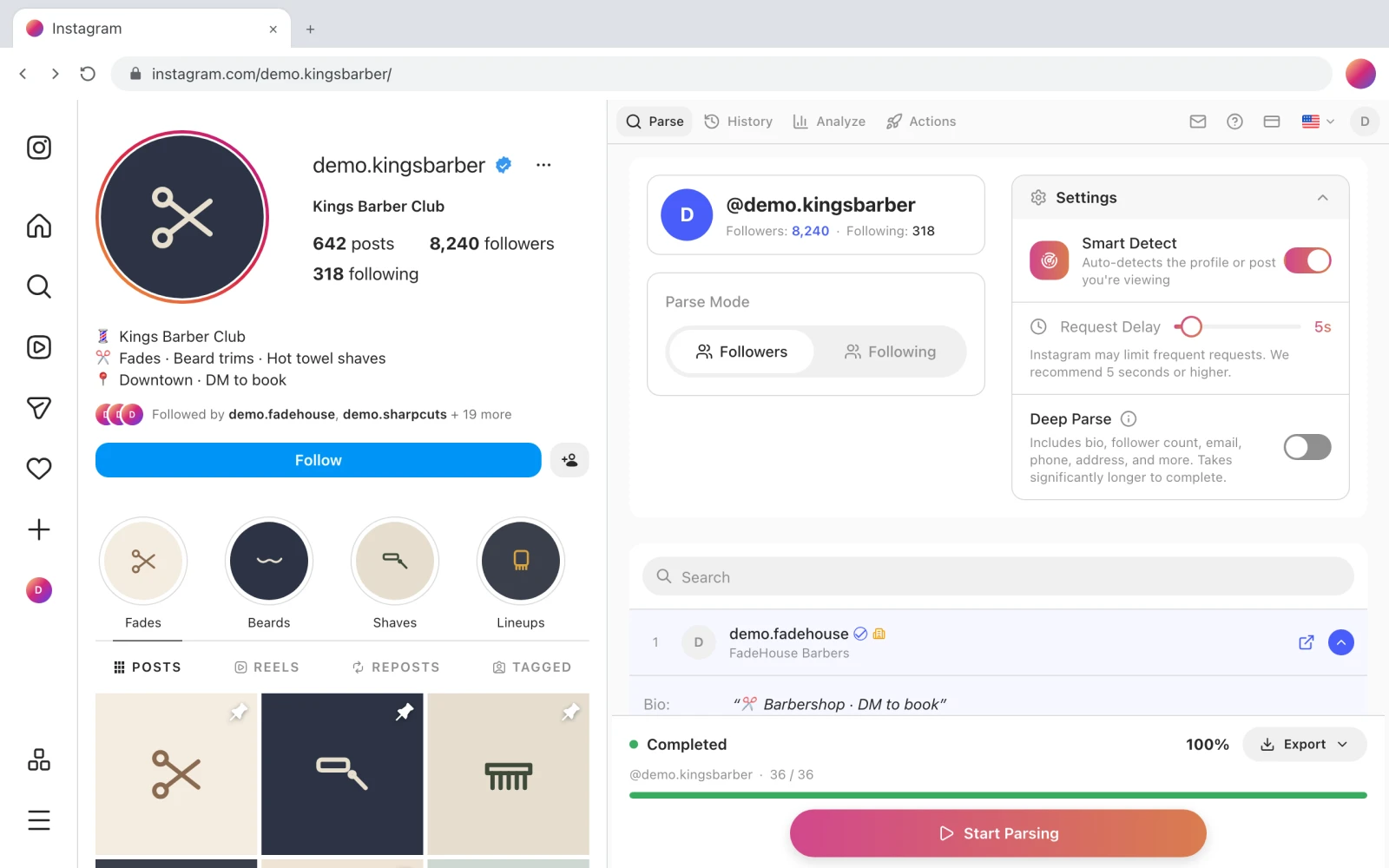
A browser extension inverts the arrangement. Your login happens on instagram.com, as it always does. The extension runs inside your own browser and reads the follower list through the session that's already there — the same data Instagram is already rendering for you, requested by the same browser, from the same IP.
There is no password to hand over, no foreign login, and no server that can act as you. Instagram sees you, on your device, looking at your own followers, because that is literally what is happening.
That's a genuinely better architecture for this specific problem, and it is not a clean bill of health. Extensions carry their own risks, and an honest version of this article has to state them:
- Extension permissions are broad. An extension with access to a site can read and modify every page you open on it. The scope is narrower than an account takeover but wider than most people assume.
- Extensions get sold. A popular, benign extension changes hands and the new owner ships an update that injects affiliate links or exfiltrates browsing data. This is a well-documented pattern, and auto-update means it lands silently.
- The browser is not a sandbox for your account. If an extension can act on instagram.com, it can perform actions there. What protects you is that those actions are visible in your own browser and constrained by the same rate limits you'd hit yourself — not that they're impossible.
- Reading is safe; acting is a separate question. Parsing your own follower list is close to zero risk. Automating hundreds of follows or unfollows is not, whatever tool does it, and no architecture changes that. The limits are in Instagram follow limits.
The honest summary: server-side logins put your account in someone else's hands; extensions put a piece of code in your browser. The second is a smaller and more inspectable surface, and it's still a surface.
A five-minute audit for any tool in this category
Run this before installing anything, including ours.
1. Does it ask for your Instagram password? If the login screen is anywhere other than instagram.com, stop. There is no legitimate reason for a third party to hold your credentials, and no feature worth the trade. This one question eliminates most of the category.
2. Where does the work happen? "Track your followers even when your phone is off" means a server is logged in as you. That's not a bonus feature, it's the disclosure. A tool that only works while you're at your computer is telling you the work happens in your browser.
3. Read the permissions, not the description. In the Chrome Web Store, expand the permissions before installing. An Instagram tool should want access to instagram.com. If it wants access to all sites, ask why. On mobile, an unfollower app requesting contacts or SMS is not asking for anything it needs.
4. Check the developer and the age. A named company with a working website, a real privacy policy and a support address is a different proposition from a listing with a Gmail contact and no site. Check the review dates too: a wall of five-star reviews all posted in the same week is a purchased wall.
5. Read the one-star reviews specifically. They are where "my account got action-blocked after using this" lives. Sort by newest — an app that was fine for a year and turned bad after an ownership change shows up as a sharp change in review sentiment, not an average.
6. Ask what happens to the data. Where is your follower list stored, for how long, and can you delete it? A policy that answers those three questions concretely is a good sign regardless of the answers. A policy that can't be found is its own answer.
Where Gramlens sits, including the parts we can't claim
We are in the second category, and here is the specific version of that:
No password, and no ability to ask for one. Gramlens is a Chrome extension. It reads follower and following lists through the instagram.com session already open in your browser. There is no password field in the product, and no server of ours ever authenticates to Instagram as you. You do create a Gramlens account — that one is for your subscription and for syncing your saved snapshots, and it is not an Instagram login.
Site access is limited to instagram.com. That's what the extension requests and all it requests. You can verify this in the Chrome Web Store listing before installing, which is the point of step 3 above.
Your parsed lists are stored, and you can delete them. Snapshots sync to your Gramlens account so history survives a browser reinstall, with a retention window that depends on your plan. Deleting them is in the app.
Nothing runs while you're away. The parsing and the action queues live in the content script of an open Instagram tab. Close it and everything stops. That's a real limitation — no overnight tracking, no phone app — and it's the same property that means there's no server acting as you.
What we can't claim. Automated activity — follows, unfollows, comments, removals — is against Instagram's Terms of Service whatever tool performs it, and pacing reduces the odds of a block without changing the rules. Our own limits are conservative by default (randomised gaps with a 20-second floor, enforced breaks, a hard stop the first time Instagram returns a challenge, documented in the Actions guide), but "conservative" is not "safe", and anyone telling you otherwise about any tool is selling something.
The trackers themselves — who unfollowed you, who doesn't follow you back — involve no automation at all. They read lists you can already see. That's the part of this product with essentially no account risk attached, and it's free within the monthly allowance; the unfollowers tracker page covers what each view needs.
If you already gave an app your password
Worth doing today, in this order:
- Change your Instagram password. This invalidates existing sessions, including the app's.
- Check active sessions. Settings → Accounts Centre → Password and security → Where you're logged in. Log out anything you don't recognise.
- Turn on two-factor authentication if it isn't already, so a leaked password alone isn't enough next time.
- Review authorised apps. Settings → Website permissions → Apps and websites, and remove what you don't use.
- Change that password anywhere you reused it. This is usually the largest part of the actual exposure and the part people skip.
- Delete the app's account if it has one, and ask them to delete your data. In the EU and UK you have a legal right to that; elsewhere you have a polite request.
Frequently asked questions
Do Instagram follower tracker apps steal passwords?
Some do outright; the more common problem is that the whole design requires them to hold your password, which means one breach, one bad hire or one change of ownership turns a working product into a credential leak. The category's risk isn't primarily malice — it's that server-side logins make theft a single point of failure away.
Can a follower tracker get my account banned?
It can get it blocked, which is more common than banned. Logins from a data centre trigger security challenges; automated actions run from a server trigger action blocks. Repeated offences escalate, and the escalation lands on your account, not the app's. Passive reading of your own lists from your own browser is not what triggers this.
Is it safe to use a Chrome extension for Instagram?
Safer than handing over credentials, and not risk-free. An extension with site access can read and modify pages on that site, and extensions can change ownership and behave differently after an update. Check what site access it requests, who publishes it, and whether recent reviews changed tone — the same audit as anything else.
Does two-factor authentication protect me from these apps?
Not once you've completed the challenge for them. 2FA protects the login event; apps that need persistent access ask you to pass it during setup and then hold the resulting session. It's still worth having — it stops a leaked password being enough on its own — but it is not a defence against an app you deliberately let in.
How can a tool see my followers without my password?
By running inside a browser where you are already logged in. The session cookie is already there, the data is already being rendered to you, and the extension reads the same responses your own page load produces. That's why extensions only work while you're at your computer, with a tab open — the limitation and the safety property are the same thing.
What about apps that only ask for a "session token" instead of a password?
Better in one respect — you can invalidate it by changing your password — and identical in most others. A session token still grants full account control and still means a server somewhere is acting as you from an unfamiliar IP. Cloud automation platforms that ask you to paste a cookie are the same architecture with a different login screen.
Nothing here is legal or security advice, and no tool in this category can guarantee an outcome from Instagram. Automated actions are against Instagram's Terms of Service whatever tool performs them. Gramlens is not affiliated with Instagram or Meta.
TL;DR. Instagram has no read-only permission for third parties, so every follower tracker either logs in as you on its own servers or reads a session you already have open. The first design grants full account control, triggers Instagram's compromise detection, and puts your password in a database that will eventually leak. The second is narrower and still worth auditing. Before installing anything: if it asks for your Instagram password anywhere but instagram.com, that's the end of the evaluation.
Explore the feature